Instrument not found
Last updated 20 June 2026
Instrument not found
This error means AutoTrader Web could not find the stock or derivative passed in the order. AutoTrader Web uses broker-independent instruments, so you must pass the correct Exchange and Symbol. Use the Global Instrument Search tool to find the right values, then make sure they reach our API functions.
Why this happens
AutoTrader Web cannot find the instrument (stock or derivative) passed in the order. The Exchange or Symbol in the order does not match a valid instrument.
Solution
AutoTrader Web uses broker-independent instruments. So you need to pass the correct Exchange and Symbol.
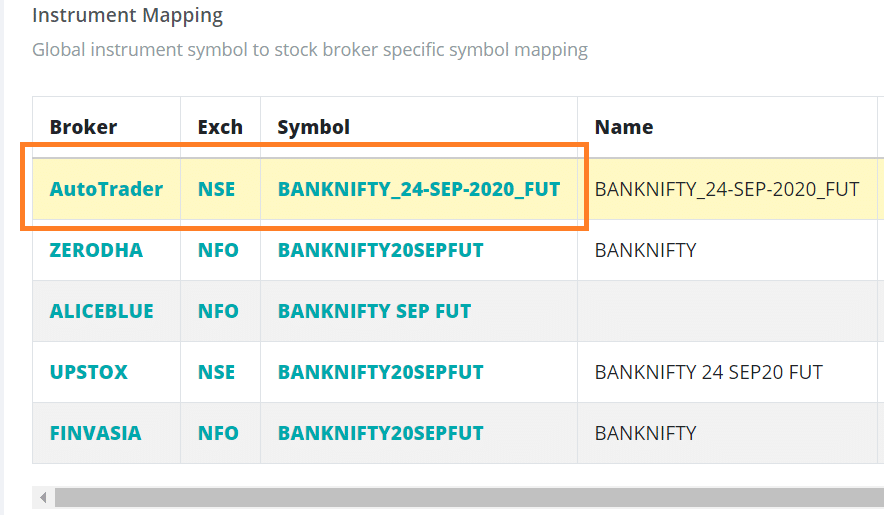
Use the Global Instrument Search tool to find the correct exchange and symbol for the stock or derivative you want to trade.
Next, make sure these broker-independent Exchange and Symbol values reach our API functions. See the highlighted rows in the sample screenshot below.
How to set the values for each setup:
- AmiBroker users can set exchange and symbol on chart parameters
- Excel users can add them in the respective columns
- Direct API function users need to pass them to the
placeOrder()functions