User Registration
Create and activate your AutoTrader Web account in a few steps.
About 2 minutesFirst step
In short
To create an AutoTrader Web account, open the app, click the Register button, and fill the form. You then get an email with an activation link. Click that link to activate your account, after which you can log in with your credentials.
How to register for AutoTrader Web
- Open AutoTrader Web.
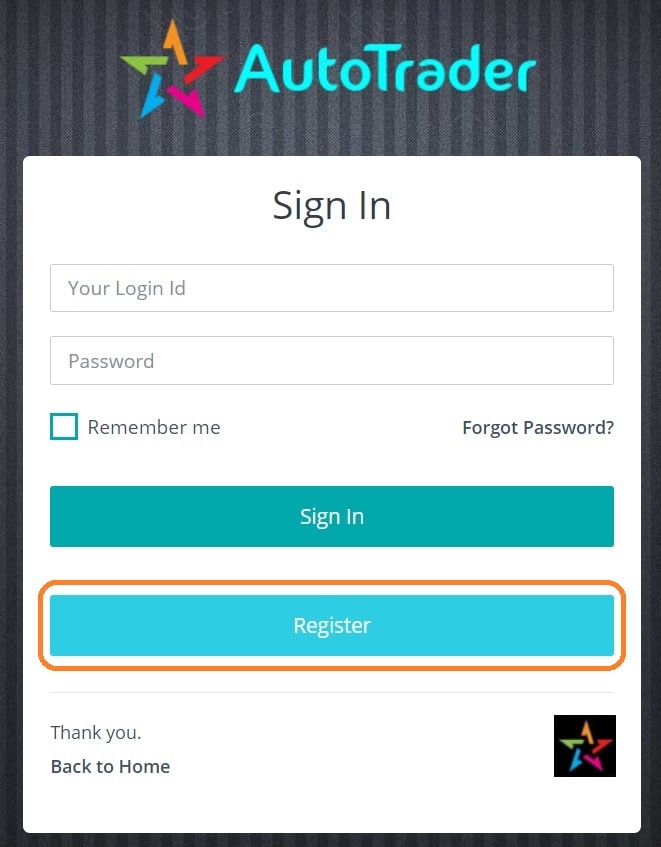
- Click the Register button (see the screenshot below).
- Fill up the registration form.
- On successful registration, you will receive an email with an activation link.
- Click the activation link to activate your account.
- Now you can log in to AutoTrader Web with your credentials.
After your account is active, the next step is usually to get started and add a trading account.
Register button
Next steps
Was this page helpful?
Thanks for the feedback. Still stuck? Contact support.
Last updated 18 June 2026
